Tiếp tục với những kỳ tích từ những khó khăn trong phim trường. Lần này là phim Jaws
Don’t let the noise of other’s opinions drown out your own inner voice.

Don’t let the noise of other’s opinions drown out your own inner voice.
Kịch bản phổ biến và nguy hiểm nhất hiện nay là: Hacker dùng mạng Botnet (hàng nghìn IP lạ từ nước ngoài) để liên tục dò quét mật khẩu (Brute-force) qua cổng DSM của bạn.
Để tăng cường bảo mật cho thiết bị NAS Synology trước các nguy cơ tấn công mã độc tống tiền/ransomware gần đây
Chúng ta hãy đến thêm 1 tuyệt phẩm nữa của Tim Burton: Corpse Bride.
The Nightmare Before Christmas - Nơi từng cử động đều phải trả giá
Dưới đây là 9 món ăn mang phong cách Halloween rùng rợn nhưng dễ làm, rất thích hợp để bạn chuẩn bị cho buổi tiệc Halloween sắp tới! ⚰️ 👻
I enjoy {{c2::swimming::swim}} in the ocean every summer.
I enjoy [swim] in the ocean every summer.
Cảm xúc: Khủng hoảng sáng tạo, sụp đổ, làm lại từ đầu....
Các thao tác với trang mục lục
Mê điện ảnh, tôi thích sưu tầm những gì thuộc về nó, và hậu trường là phần chìm của tảng băng. Nó là khối đá ở dưới nước không ai nhìn thấy, nhưng đó là thứ làm nên sự lấp lánh của những bộ phim vĩ đại
Tiếp tục với những kỳ tích từ những khó khăn trong phim trường. Lần này là phim Jaws
Nguồn từ bài “Epic-Size Troubles on ‘Titanic’” — Claudia Puig, Los Angeles Times, tháng 4 năm 1997
Give away Prompt. Create "real image poster to imaginary world"
Tập hợp các quy luật về hình ảnh trong thiết kế tạp chí
Các quy luật về chữ trong magazine design
Tự học là 1 ưu thế nhưng hay bị lan man, mất phương hướng của nhiều người. Dưới đây là tình hình của bạn Nguyễn Thắng trên group Blender Việt Nam, Facebook
Vừa mở máy là thấy ngay thông tin nóng hổi này.
Tập hợp các thủ thuật với gmail
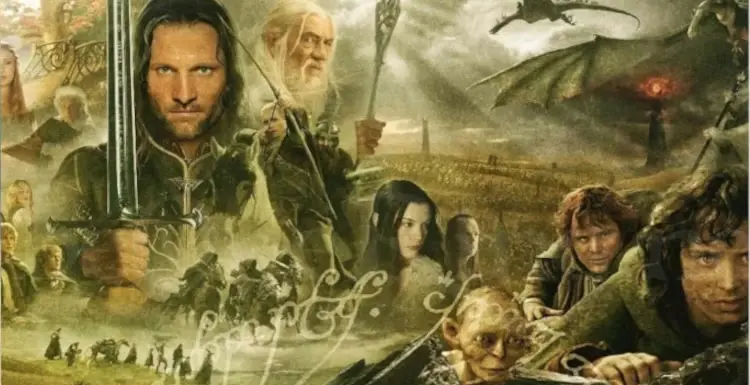
Có những bộ phim thành công bởi vì chúng được sinh ra từ những kế hoạch hoàn hảo. Nhưng cũng có những bộ phim thành công bởi vì có một vài con người đã dám đánh bạc khi chưa ai biết kết quả nó sẽ ra sao.
Chuyến bay kinh hoàng vừa mới xảy ra hôm qua (30/9/2026), mang số hiệu FlyDubai FZ1073 , trên máy bay có 174 hành khách và phi hành đoàn bay từ từ Tel Aviv, Israel đến Dubai,
Learning With Texts (LWT) là một ứng dụng trên nền web mã nguồn mở hỗ trợ học ngoại ngữ nói chung và tiếng Anh nói riêng, được xây dựng dựa trên phương pháp Học ngôn ngữ thông qua ngữ cảnh (Contextual Language Learning).
1 trong những nội dung thú vị hài hước, đáng yêu của Phần 5 mà thật tiếc là lên phim biên kịch cắt bà mất, đó là buổi hẹn hò của Harry và Cho.
Điều gì sẽ xảy ra nếu một viên ngói không chỉ có nhiệm vụ che mưa, chắn nắng cho con người… mà còn có thể trở thành một mái nhà cho những sinh vật nhỏ bé?
Không gì thích hợp hơn từ "Tan biến vào không gian" cho các tác phẩm này
Thiết lập lại giao diện theo như ý
Do Anki sử dụng HTML, javascript nên khả năng tuỳ chỉnh gần như là vô hạn. và đây là 1 bài như thế dưới dự hỗ trợ từ.. AI
Bài giới thiệu phần mềm Kdenlive
Tìm thấy chỉ là tình cờ, nhưng thời gian mất cho nó thì gần 2 buổi
Các bước quay phim trên màn hình bằng OBS
Con gái tôi tên Linh. Năm nay 17 tuổi. Tôi vẫn luôn nghĩ ở tuổi này, việc quan trọng nhất của con bé là học hành.
Tập hợp các câu hỏi khi sử dụng Anki
Page 1 of 42