Thiết lập lại giao diện theo như ý
Giao diện mặc định thường là thiết lập tốt nhất cho người sử dụng. Nhưng ở mỗi cá nhân luôn có 1 kiểu giao diện phù hợp cho riêng mình.
Giao diện mặc định như vầy
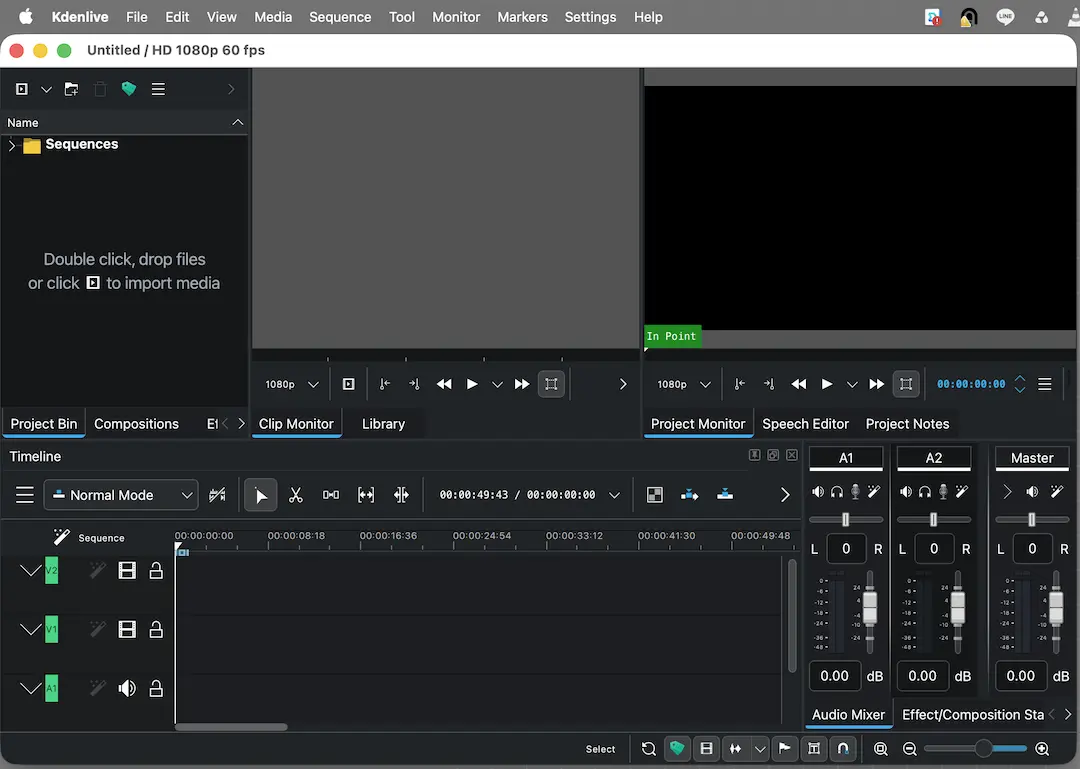
Sau khi chỉnh thì như vầy
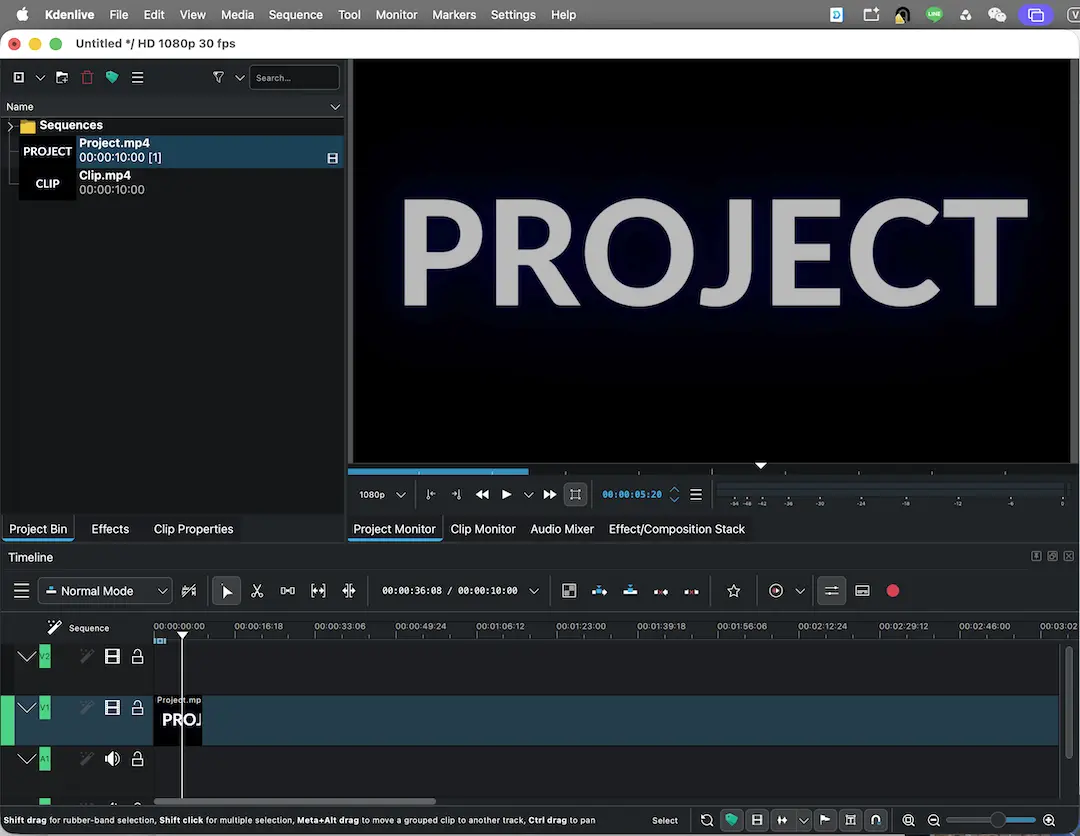
Bản điều chỉnh có các đặc điểm
- Chỉ hiển thị 1 màn hình, nhưng vẫn đầy đủ Project monitor và Clip monitor
- Có timeline dài hơn
- Nút Render nằm trực tiếp trên timeline menu
- Workspace gồm
- Project Bin - Nơi chứa nguyên liệu input
- Clip monitor - Hiển thị nguyên liệu từ Project Bin (tuỳ chọn chỉ đưa 1 đoạn vào timeline)
- Project monitor - Hiển thị tác phẩm output từ timeline
- Timeline -
- Effect và Effect/Composition Stack - áp hiệu ứng vào clip
- Audio Mixer - Chỉnh volume cả track audio
- Clip Properties
Clip Monitor - Displays the unedited clip that is currently selected in the Project Bin.
Project Bin - Lists all the assets that are associated with the project, within a folder structure.
Project Monitor - Displays the edited version of the video within the project's Timeline.
Timeline - Where clips, transitions and compositions, are dropped into tracks for editting.
Clip Properties - Displays general information and other technical data about project files.
Comments
No comments
There are no comments yet. Be the first to write one.